v1.0.0 · Windows 10 & 11

Clean your PC. Keep your apps up to date.
See what it really needs.

Lustra is an honest PC care app for Windows. It removes junk safely, updates your apps in one place and shows the real state of your disk, battery and processor. No fake errors, no ads, no account, no subscription.

Clean
Update
Check
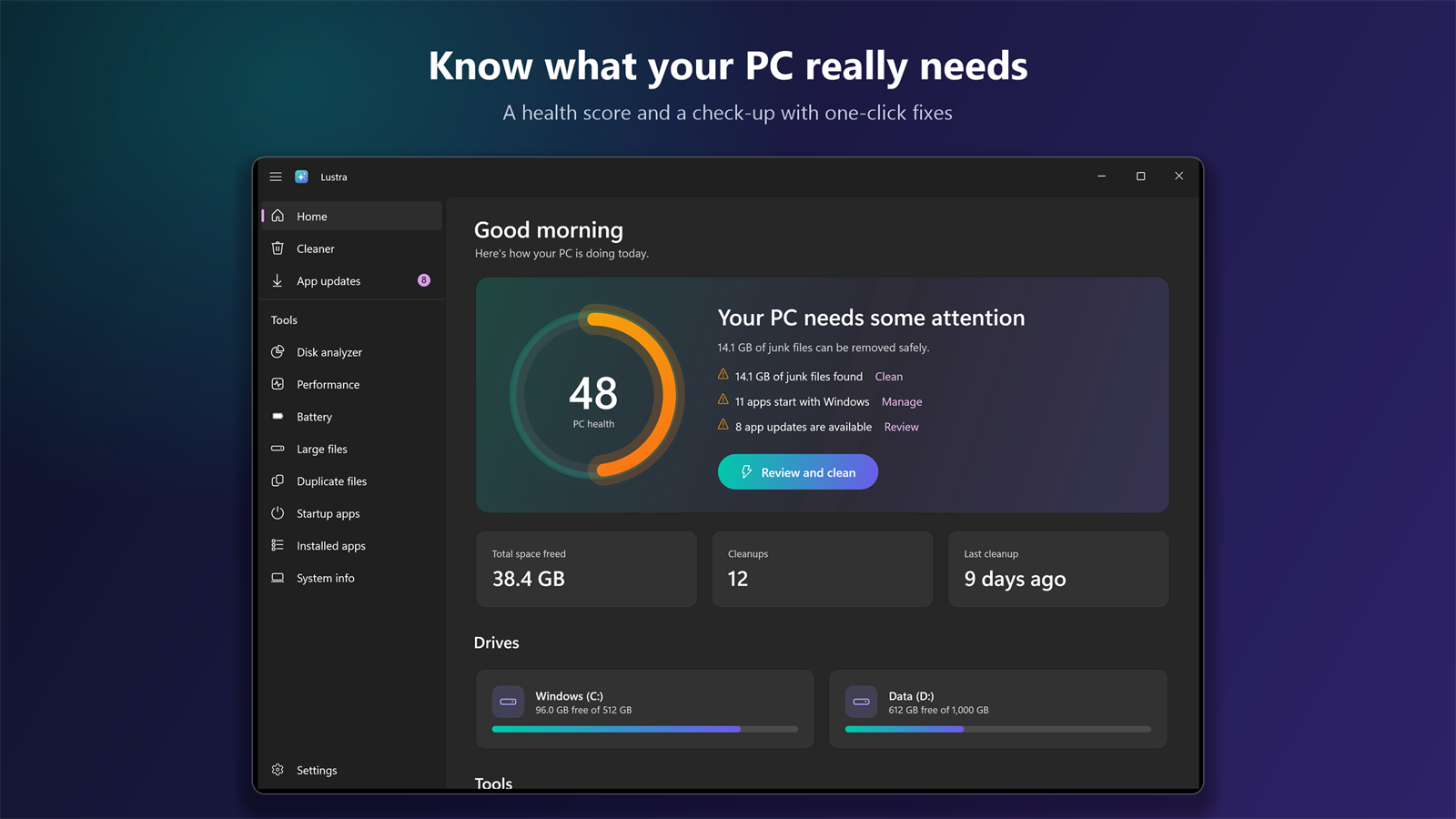
Lustra: PC health score and a check-up with one-click fixes

Clean → Update → Check

Three jobs a PC really needs, done carefully — and nothing that only pretends to help.

Free up space

Clean what is safe to clean

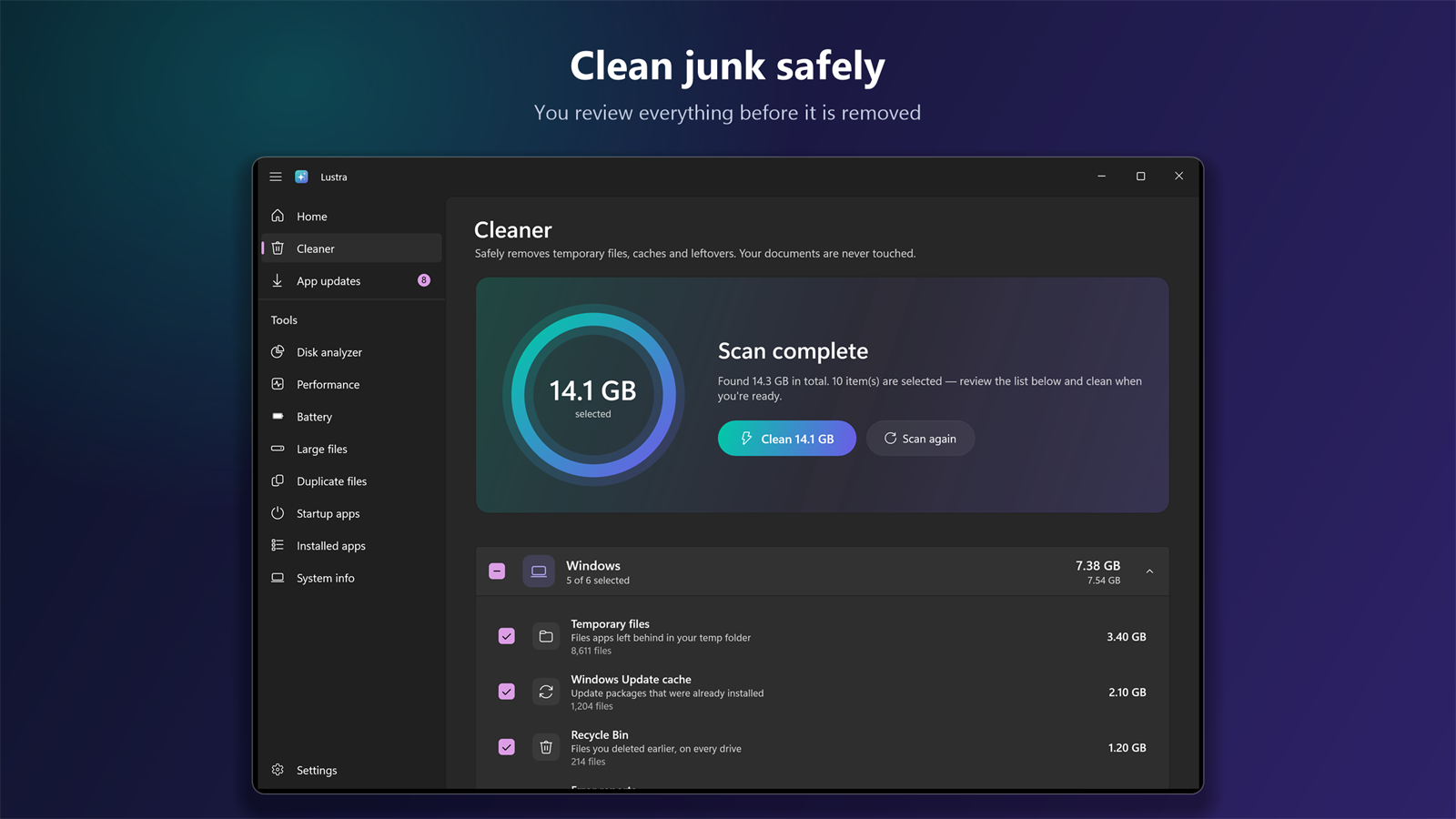
  • Smart Scan: Windows temporary files, the update cache, crash dumps, and caches of your browsers and apps.
  • You decide: review the list first; nothing is removed until you confirm.
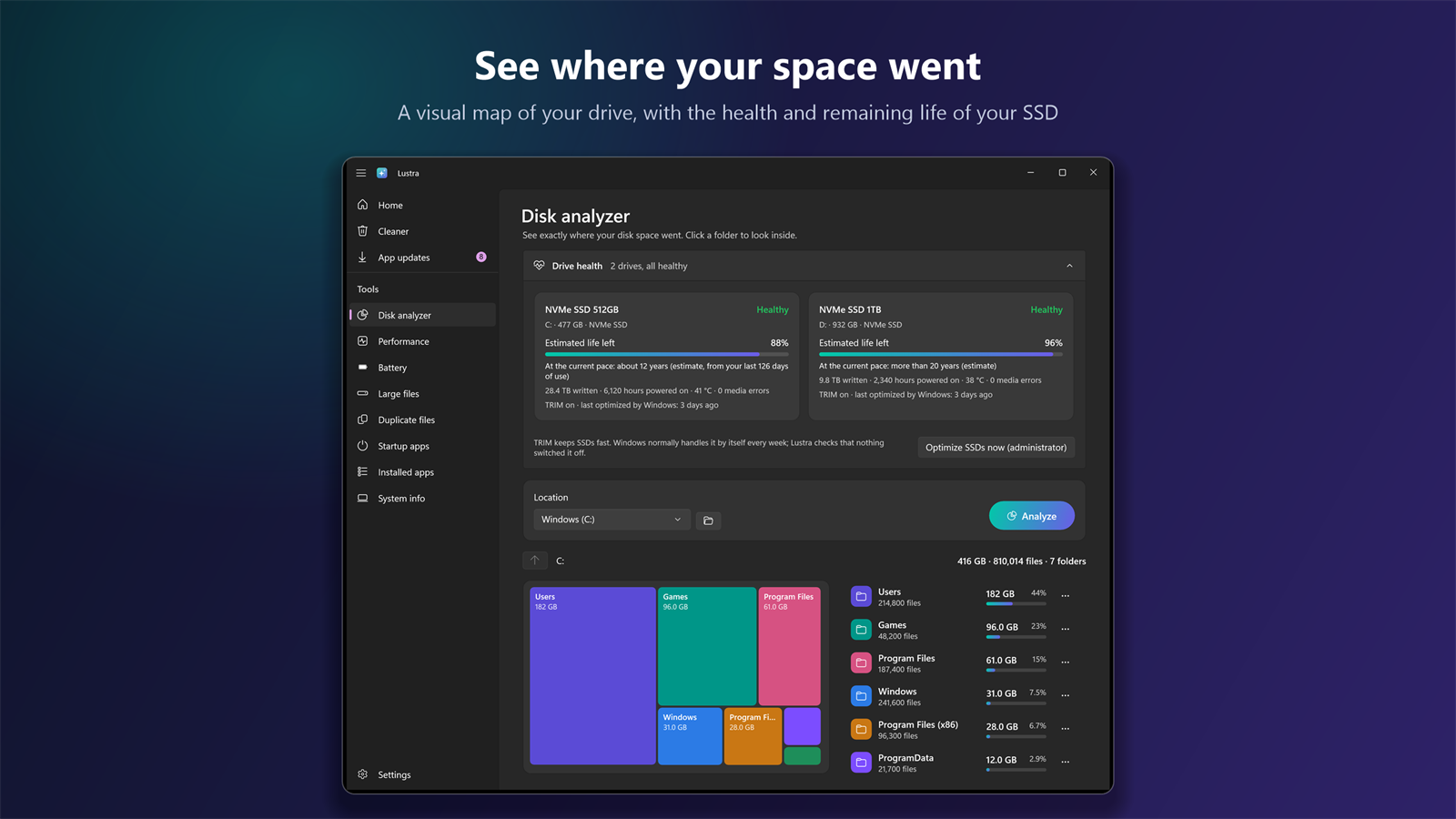
  • Disk analyzer: a visual map shows which folders take the space — click to look inside.
  • Large and duplicate files: find them, and send what you don't need to the Recycle Bin.
  • Automatic cleaning (optional): tidies safe junk when you sign in and tells you what it freed.
Stay current

Update your apps in one place

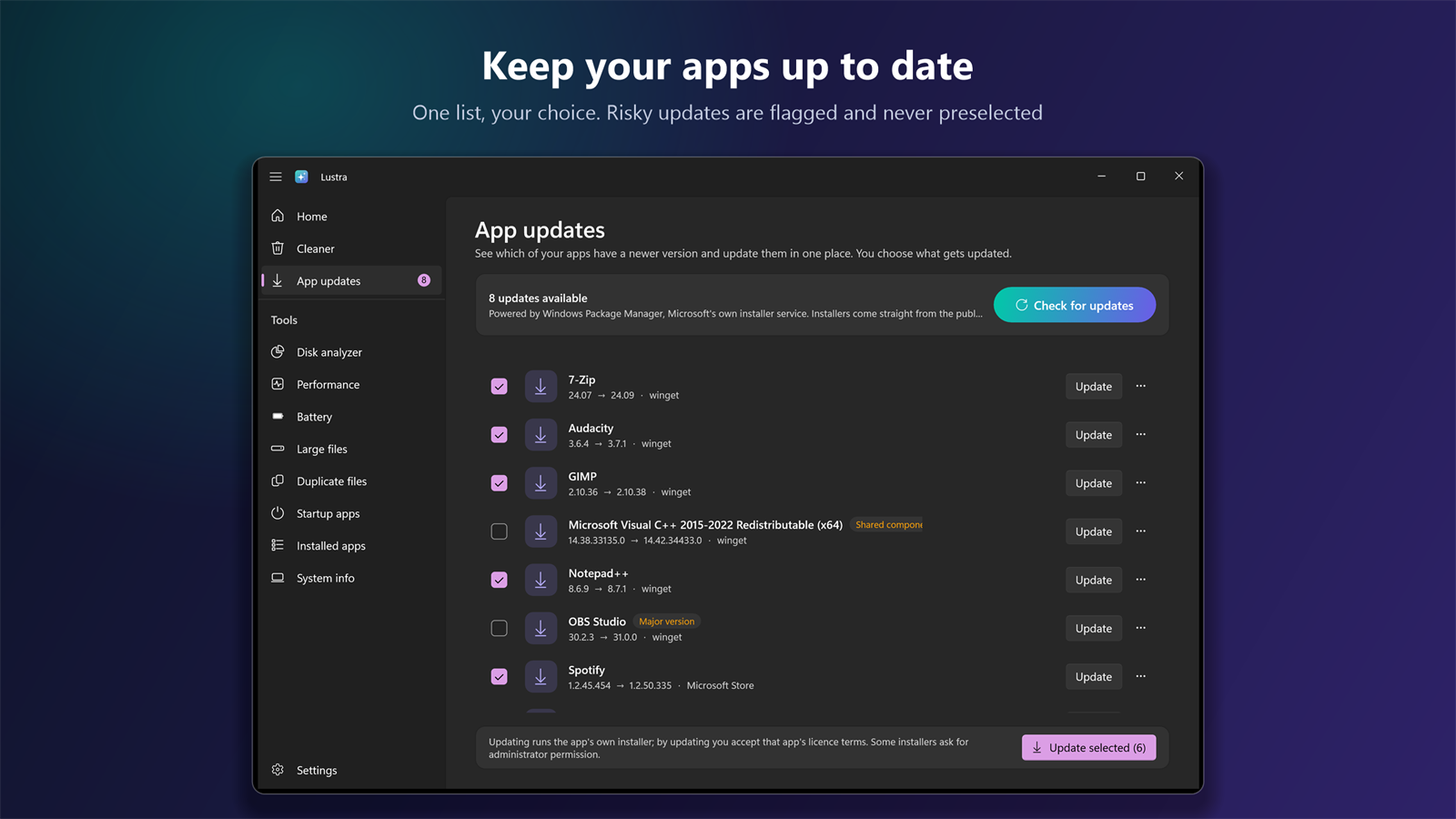
  • One list: every installed app that has a newer version, with the old and the new version side by side.
  • You choose: update one app or the ones you tick. Nothing installs by itself.
  • Careful by default: major version jumps, runtimes and drivers are flagged and never preselected.
  • From the source: Windows Package Manager, Microsoft's own installer service, fetches each update from its publisher.
Know your PC

See what it really needs

  • PC check-up: junk, startup apps, outdated apps, low disk space and overdue restarts in one list, with a fix one click away.
  • Drive health: how much life your SSD has left, an estimate in years, data written and temperature.
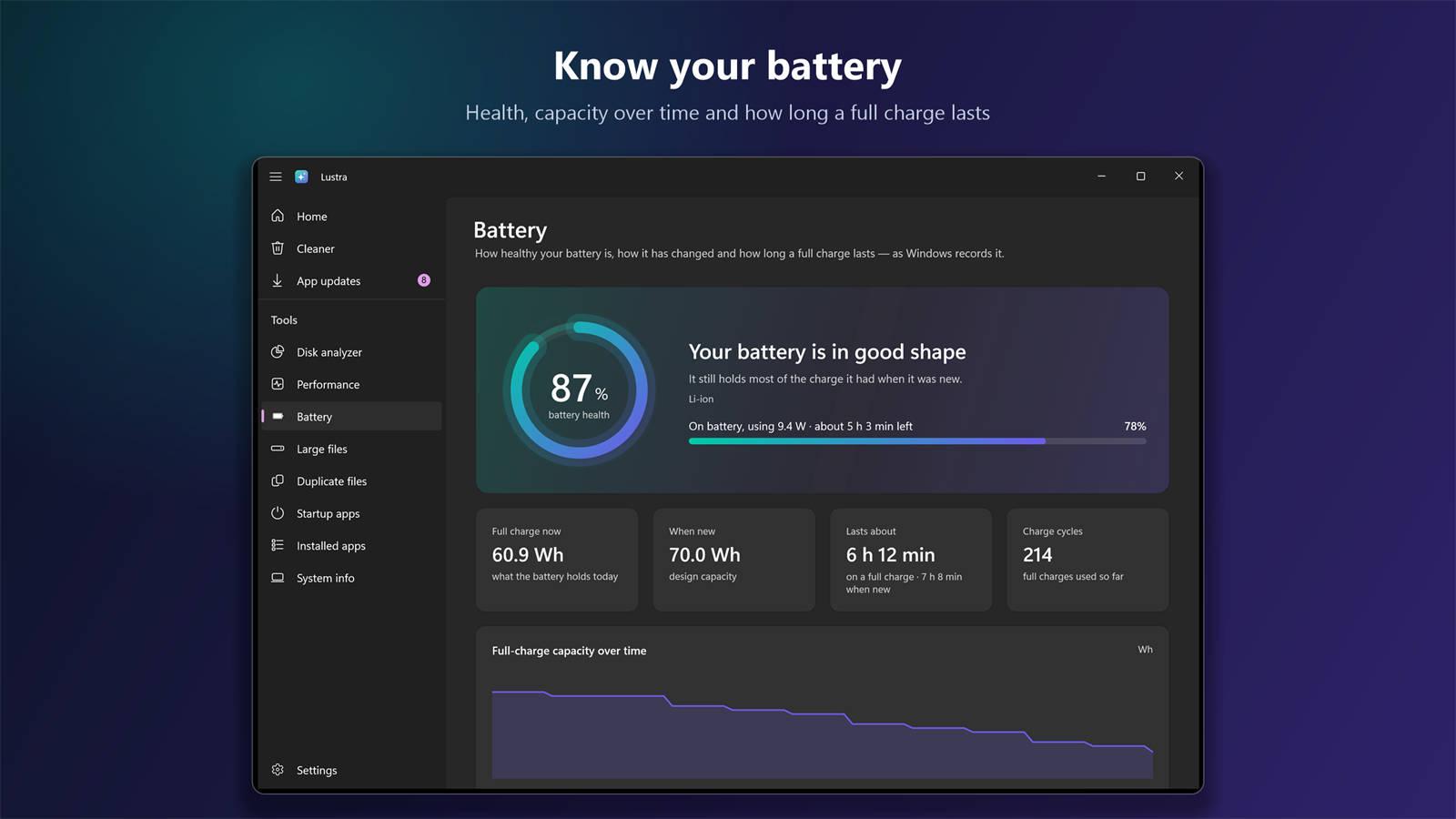
  • Battery report: battery health, capacity over time and how long a full charge lasts.
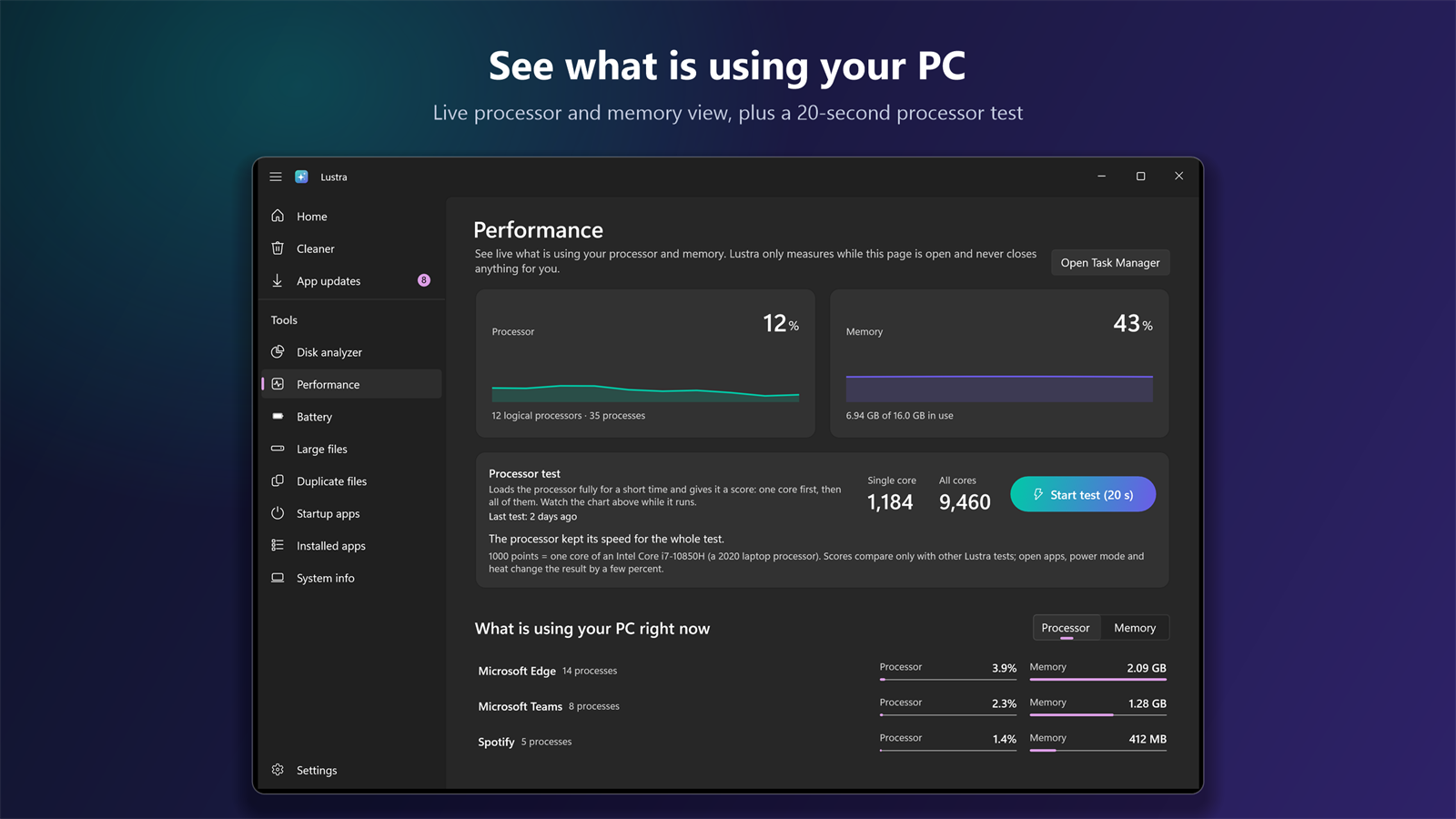
  • Performance: what is using your processor and memory right now, plus a 20-second processor test.

Built to be trusted

Safe by design

Files in use are skipped, never forced. Recent temporary files are kept for running installers, and what you remove with the disk tools goes to the Recycle Bin.

No fake fixes

No registry cleaner, no RAM booster, no driver updater. Lustra only does what it can show you in real numbers.

Faster startup

See which apps start with Windows and switch off the ones you don't need. Every change can be undone.

Your PC on one page

Device, Windows, processor, memory, graphics and storage. Copy it or save it as text when someone asks what you have.

Private by design

No account, no ads, no tracking. Nothing about you or your PC is sent to us.

Feels like Windows

A native Windows 11 look in light and dark themes, in English and Turkish, with keyboard navigation and screen reader labels.

Screenshots

Clean junk safely — you review everything before it is removed.
Keep your apps up to date in one place; you choose what gets updated.
See where your disk space went and how healthy your SSD is.
Watch what is using your processor and memory, and test your processor in 20 seconds.
The real state of your battery: health, capacity over time and how long a full charge lasts.

Free to use. Pro is a one-time purchase.

The cleaner and the everyday tools are free. Every Pro feature is open for your first 14 days; after that Lustra keeps working as the free version.

Lustra Pro

One-time purchase

  • Automatic maintenance at sign-in: cleans safe junk on its own when a run is due
  • Low disk space and new app update notifications
  • Update all selected apps with one click
  • Large file finder
  • Duplicate file finder that compares contents
  • 20-second processor test with a history of results

Everything else on this page is free and stays free. Pro is bought inside the app through the Microsoft Store: Microsoft handles the payment in your local currency, and the purchase follows your Microsoft account to your other PCs.

Release history

v1.0.0 — November 16, 2026
  • Smart Scan and one-click cleanup for Windows, browsers and apps — you review everything first
  • App updates through Windows Package Manager: see what is outdated and update what you choose
  • PC check-up with one-click fixes for junk, startup apps, outdated apps and TRIM
  • Disk analyzer with a visual map, large file finder and duplicate finder
  • Drive health for NVMe SSDs: life left, an estimate in years, data written and temperature
  • Battery report: health, capacity over time and how long a full charge lasts
  • Live performance view and a 20-second processor test
  • System information with copy and save as text
  • Optional automatic cleaning at sign-in, startup manager and app uninstaller
  • English and Turkish, light and dark themes

Frequently asked questions

Can't find your answer? Write to us — we usually reply within a few business days.

Contact us →
What is Lustra?

Lustra is a PC care app for Windows 10 and 11. It removes junk files safely, shows which of your apps have a newer version and updates them in one place, and tells you the real state of your PC: drive health, battery wear, disk space and performance. It has no ads, needs no account and makes no exaggerated promises.

Is it safe? Can it delete my files?

Lustra only cleans temporary files and caches that Windows and your apps rebuild on their own, and you review the list before anything is removed. Files in use are skipped, never forced. Anything you remove with the disk tools (large files, duplicates, disk analyzer) goes to the Recycle Bin, and Windows folders, program folders and your Documents or Desktop folders themselves cannot be removed.

Does it have a registry cleaner, RAM booster or driver updater?

No, on purpose. Those features promise speed they cannot measure and can break a working system. Lustra sticks to things it can show you with real numbers: space freed, apps updated, drive wear, battery capacity.

How do app updates work?

Lustra asks Windows Package Manager — Microsoft's own installer service that ships with Windows — which of your installed apps have a newer version. You choose what to update; the installer comes straight from the app's publisher. Major version jumps and shared components such as runtimes and drivers are flagged and never selected automatically. Nothing is ever installed in the background.

Is it a subscription?

No. Lustra is free to download and Lustra Pro is a one-time purchase inside the app, through the Microsoft Store. There is no subscription and there are no ads.

What is free and what is Pro?

Free, without a time limit: the cleaner with every category, the PC check-up, the list of app updates (updating one app at a time), the disk analyzer, drive health, battery report, performance monitor, system information, startup apps and installed apps. Lustra Pro adds automatic maintenance at sign-in, low disk space and app update notifications, updating all selected apps in one go, the large file finder, the duplicate file finder and the processor test. Lustra never shows a problem and then asks for money to fix it.

Can I try Pro before buying?

Yes. Every Pro feature is open for the first 14 days after you install Lustra. When they end, Lustra keeps working as the free version; nothing on your PC is changed and your settings stay.

Can I use it on more than one PC?

Yes. Lustra Pro is linked to your Microsoft account: install Lustra from the Microsoft Store on your other PCs with the same account.

Do I need an internet connection or an account?

Cleaning and all disk tools work offline, and Lustra itself has no account. Looking up app updates and checking your Store licence need a connection, and buying goes through your Microsoft account.

Does Lustra run in the background?

Only if you ask it to. Automatic cleaning and update notifications are off by default; when you turn them on, Windows starts Lustra briefly when you sign in, it does its job and exits. There is no permanent background process.

What data does Lustra collect?

None. There is no account, no analytics and no tracking, and nothing is sent to us. See the privacy policy.

What are the system requirements?

Windows 10 (version 2004 or later) or Windows 11, on x64 or ARM64.

Ready to look after your PC?

Free to download, with every Pro feature open for your first 14 days — no account with us, no ads.